District Spotlight News
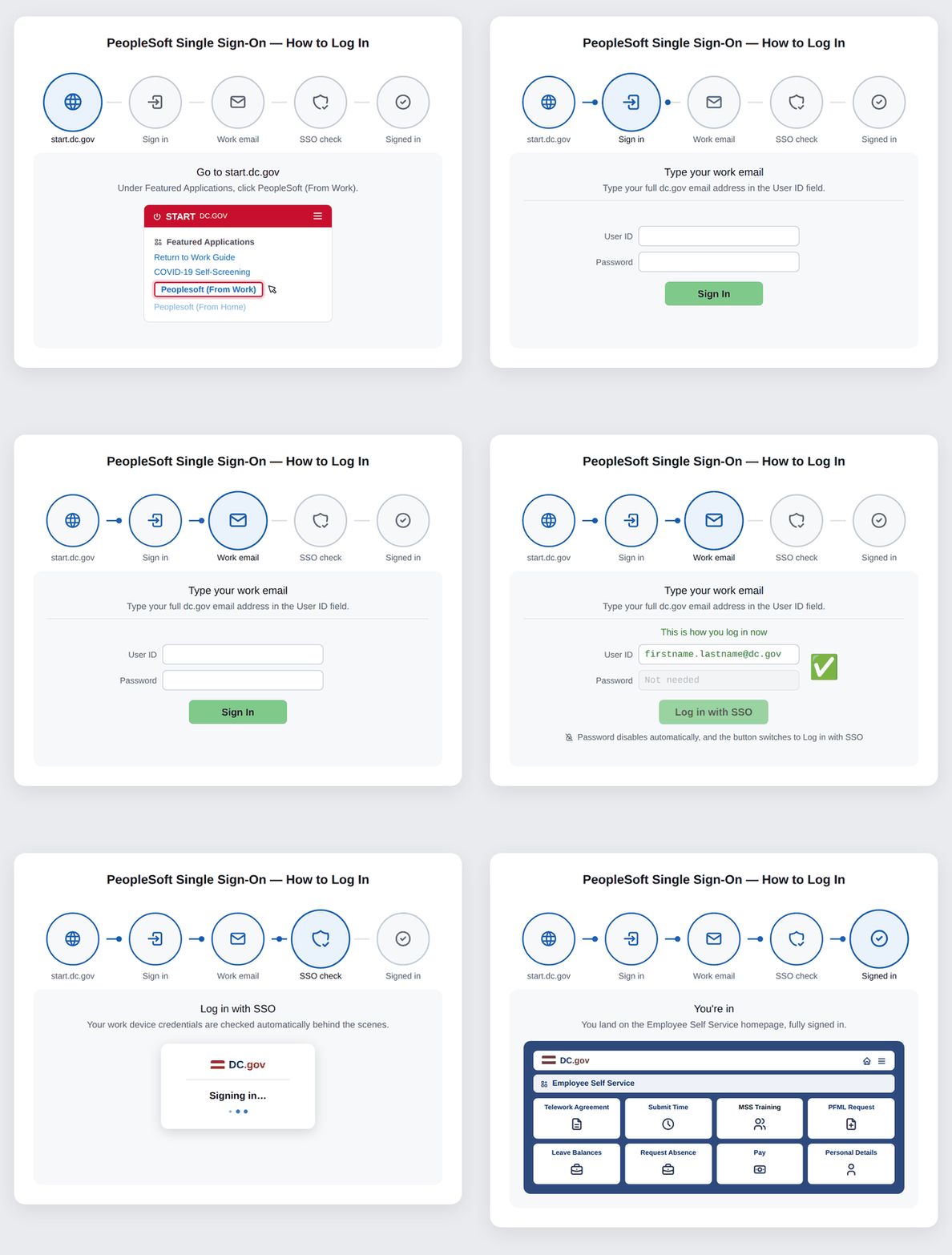
Coming Soon! Signing in to PeopleSoft just got simpler.
PeopleSoft now uses Single Sign-On (SSO). If your agency is enrolled in SSO, you'll sign in with just your DC.gov work email address instead of a separate PeopleSoft username and password. If your agency has not been enrolled, no worries, continue using your firstname.lastname and PeopleSoft password. SSO will be enabled for your agency soon!


